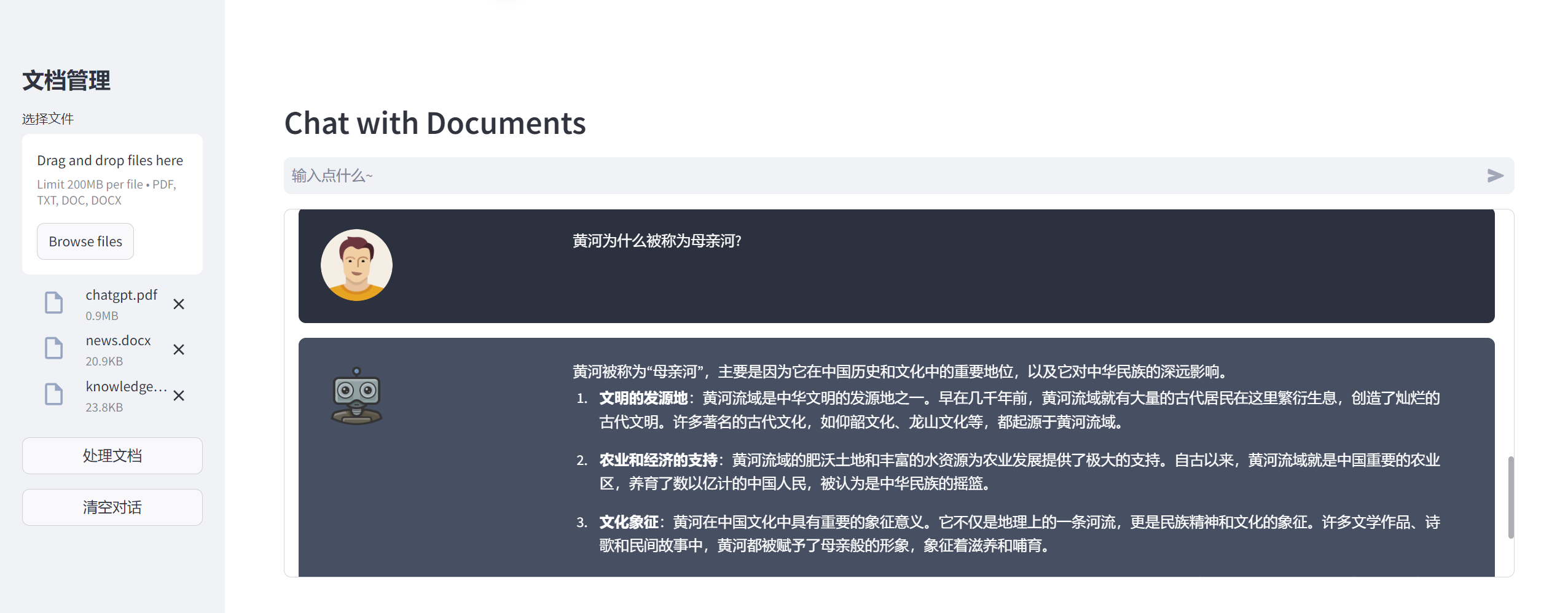
外观
43.LangChain实现多文档问答
来源:语雀原文 | 整理日期:2026-09-22
示例代码
注:将ppt后缀名改为zip后解压
python版本:3.12.4
本地上传文档
- 支持 pdf
- 支持 txt
- 支持 doc/docx
问答页面
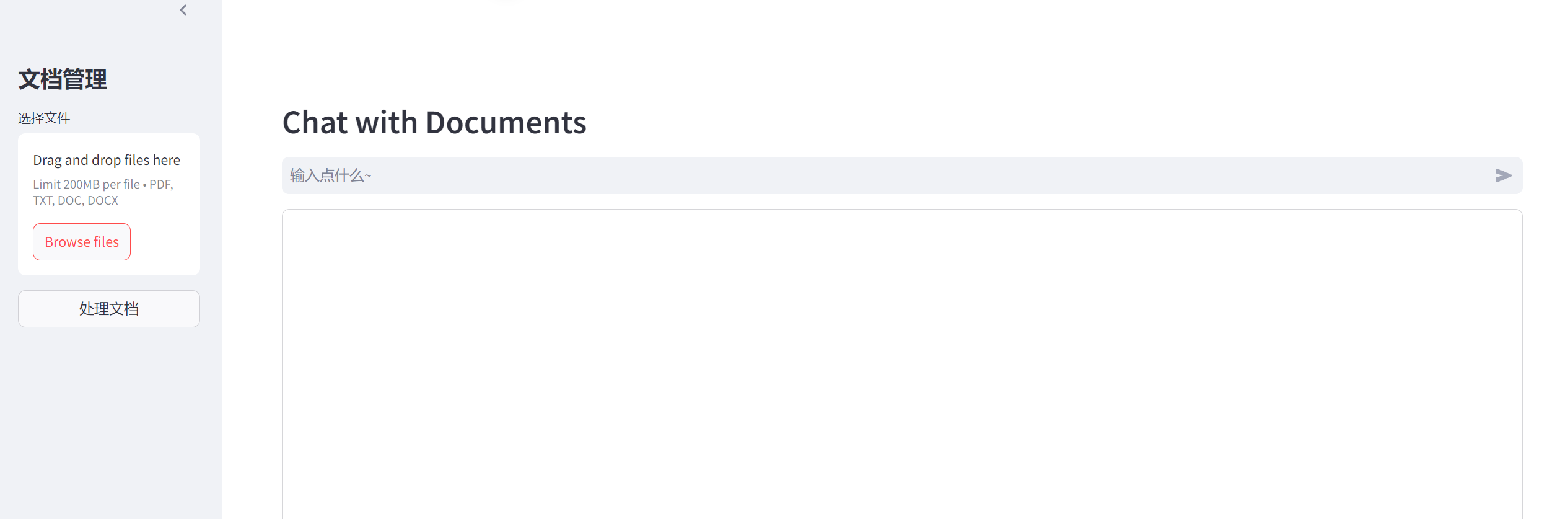
python环境
- 新建一个
requirements.txt文件
plain
streamlit
python-docx
PyPDF2
faiss-cpu
langchain
langchain-core
langchain-community
langchain-openai- 然后安装相应的包
plain
pip install -r requirements.txt -U代码
创建一个 pdf_search.py 文件, 把下边的复制进去
注意:配置好OPEN_API 接口地址和密钥的环境变量
python
#示例:pdf_search.py
# 导入Streamlit库,用于创建Web应用
import streamlit as st
# 导入递归字符文本分割器,用于将文档分割成小块
from langchain.text_splitter import RecursiveCharacterTextSplitter
# 导入FAISS向量存储,用于存储和检索文档嵌入
from langchain_community.vectorstores import FAISS
# 导入OpenAI聊天模型
from langchain_openai import ChatOpenAI
# 导入OpenAI嵌入模型,用于生成文本嵌入
from langchain_openai import OpenAIEmbeddings
# 导入Document类,用于封装文档内容和元数据
from langchain_core.documents import Document
# 导入对话检索链,用于处理对话和检索
from langchain.chains import ConversationalRetrievalChain
# 导入docx库,用于处理Word文档
import docx
# 导入PyPDF2库,用于处理PDF文档
from PyPDF2 import PdfReader

# 设置页面配置,包括标题、图标和布局
st.set_page_config(page_title="文档问答", page_icon=":robot:", layout="wide")

# 设置页面的CSS样式
st.markdown(
    """<style>
.chat-message {
    padding: 1.5rem; border-radius: 0.5rem; margin-bottom: 1rem; display: flex
}
.chat-message.user {
    background-color: #2b313e
}
.chat-message.bot {
    background-color: #475063
}
.chat-message .avatar {
  width: 20%;
}
.chat-message .avatar img {
  max-width: 78px;
  max-height: 78px;
  border-radius: 50%;
  object-fit: cover;
}
.chat-message .message {
  width: 80%;
  padding: 0 1.5rem;
  color: #fff;
}
.stDeployButton {
            visibility: hidden;
        }
#MainMenu {visibility: hidden;}
footer {visibility: hidden;}

.block-container {
    padding: 2rem 4rem 2rem 4rem;
}

.st-emotion-cache-16txtl3 {
    padding: 3rem 1.5rem;
}
</style>
# """,
    unsafe_allow_html=True,
)

# 定义机器人消息模板
bot_template = """
<div class="chat-message bot">
    <div class="avatar">
        <img src="https://cdn.icon-icons.com/icons2/1371/PNG/512/robot02_90810.png" style="max-height: 78px; max-width: 78px; border-radius: 50%; object-fit: cover;">
    </div>
    <div class="message">{{MSG}}</div>
</div>
"""

# 定义用户消息模板
user_template = """
<div class="chat-message user">
    <div class="avatar">
        <img src="https://www.shareicon.net/data/512x512/2015/09/18/103160_man_512x512.png" >
    </div>
    <div class="message">{{MSG}}</div>
</div>
"""

# 从PDF文件中提取文本
def get_pdf_text(pdf_docs):
    # 存储提取的文档
    docs = []
    for document in pdf_docs:
        if document.type == "application/pdf":
            # 读取PDF文件
            pdf_reader = PdfReader(document)
            for idx, page in enumerate(pdf_reader.pages):
                docs.append(
                    Document(
                        # 提取页面文本
                        page_content=page.extract_text(),
                        # 添加元数据
                        metadata={"source": f"{document.name} on page {idx}"},
                    )
                )
        elif document.type == "application/vnd.openxmlformats-officedocument.wordprocessingml.document":
            # 读取Word文档
            doc = docx.Document(document)
            for idx, paragraph in enumerate(doc.paragraphs):
                docs.append(
                    Document(
                        # 提取段落文本
                        page_content=paragraph.text,
                        # 添加元数据
                        metadata={"source": f"{document.name} in paragraph {idx}"},
                    )
                )
        elif document.type == "text/plain":
            # 读取纯文本文件
            text = document.getvalue().decode("utf-8")
            docs.append(Document(page_content=text, metadata={"source": document.name}))

    return docs

# 将文档分割成小块文本
def get_text_chunks(docs):
    # 创建文本分割器
    text_splitter = RecursiveCharacterTextSplitter(chunk_size=512, chunk_overlap=0)
    # 分割文档
    docs_chunks = text_splitter.split_documents(docs)
    return docs_chunks

# 创建向量存储
def get_vectorstore(docs_chunks):
    # 创建OpenAI嵌入模型
    embeddings = OpenAIEmbeddings()
    # 创建FAISS向量存储
    vectorstore = FAISS.from_documents(docs_chunks, embedding=embeddings)
    return vectorstore

# 创建对话检索链
def get_conversation_chain(vectorstore):
    # 创建OpenAI聊天模型
    llm = ChatOpenAI(model="gpt-4o")
    conversation_chain = ConversationalRetrievalChain.from_llm(
        llm=llm,
        # 使用向量存储作为检索器
        retriever=vectorstore.as_retriever(),
        # 返回源文档
        return_source_documents=True,
    )
    return conversation_chain

# 处理用户输入并生成响应
def handle_userinput_pdf(user_question):
    # 获取聊天历史
    chat_history = st.session_state.chat_history
    # 生成响应
    response = st.session_state.conversation(
        {"question": user_question, "chat_history": chat_history}
    )
    # 添加用户问题到聊天历史
    st.session_state.chat_history.append(("user", user_question))
    # 添加机器人回答到聊天历史
    st.session_state.chat_history.append(("assistant", response["answer"]))

    # 显示用户问题
    st.write(
        user_template.replace("{{MSG}}", user_question),
        unsafe_allow_html=True,
    )

    # 获取源文档
    sources = response["source_documents"]
    # 提取源文档名称
    source_names = set([i.metadata["source"] for i in sources])
    # 合并源文档名称
    src = "\n\n".join(source_names)
    src = f"\n\n> source : {src}"
    message = st.session_state.chat_history[-1]
    # 显示机器人回答和源文档
    st.write(bot_template.replace("{{MSG}}", message[1] + src), unsafe_allow_html=True)

# 显示聊天历史记录
def show_history():
    # 获取聊天历史
    chat_history = st.session_state.chat_history
    for i, message in enumerate(chat_history):
        if i % 2 == 0:
            # 显示用户消息
            st.write(
                user_template.replace("{{MSG}}", message[1]),
                unsafe_allow_html=True,
            )
        else:
            # 显示机器人消息
            st.write(
                bot_template.replace("{{MSG}}", message[1]), unsafe_allow_html=True
            )

# 主函数
def main():
    # 显示页面标题
    st.header("Chat with Documents")
    # 初始化会话状态
    if "conversation" not in st.session_state:
        st.session_state.conversation = None
    if "chat_history" not in st.session_state:
        st.session_state.chat_history = []
    with st.sidebar:
        # 显示侧边栏标题
        st.title("文档管理")
        # 文件上传控件
        pdf_docs = st.file_uploader(
            "选择文件",
            # 支持的文件类型
            type=["pdf", "txt", "doc", "docx"],
            # 支持多文件上传
            accept_multiple_files=True,
        )
        if st.button(
                "处理文档",
                # 设置最后操作为pdf
                on_click=lambda: setattr(st.session_state, "last_action", "pdf"),
                use_container_width=True,
        ):
            if pdf_docs:
                # 显示处理中的旋转器
                with st.spinner("Processing"):
                    # 提取PDF、doc、txt文本
                    # chatgpt.pdf 拆分为3个doc
                    # knowledge.txt 拆分为1个doc
                    # news.docx 拆分为37个doc
                    docs = get_pdf_text(pdf_docs)
                    # 分割文本
                    docs_chunks = get_text_chunks(docs)
                    # 创建向量存储
                    vectorstore = get_vectorstore(docs_chunks)
                    # 创建对话链
                    st.session_state.conversation = get_conversation_chain(vectorstore)
            else:
                # 提示用户上传文件
                st.warning("记得上传文件哦~~")

        def clear_history():
            # 清空聊天历史
            st.session_state.chat_history = []

        if st.session_state.chat_history:
            # 清空对话按钮
            st.button("清空对话", on_click=clear_history, use_container_width=True)

    with st.container():
        # 获取用户输入
        user_question = st.chat_input("输入点什么~")

    with st.container(height=400):
        # 显示聊天历史
        show_history()
        if user_question:
            if st.session_state.conversation is not None:
                # 处理用户输入
                handle_userinput_pdf(user_question)
            else:
                # 提示用户上传文件
                st.warning("记得上传文件哦~~")

# 运行主函数
if __name__ == "__main__":
    main()
启动
powershell
streamlit run pdf_search.py问答效果
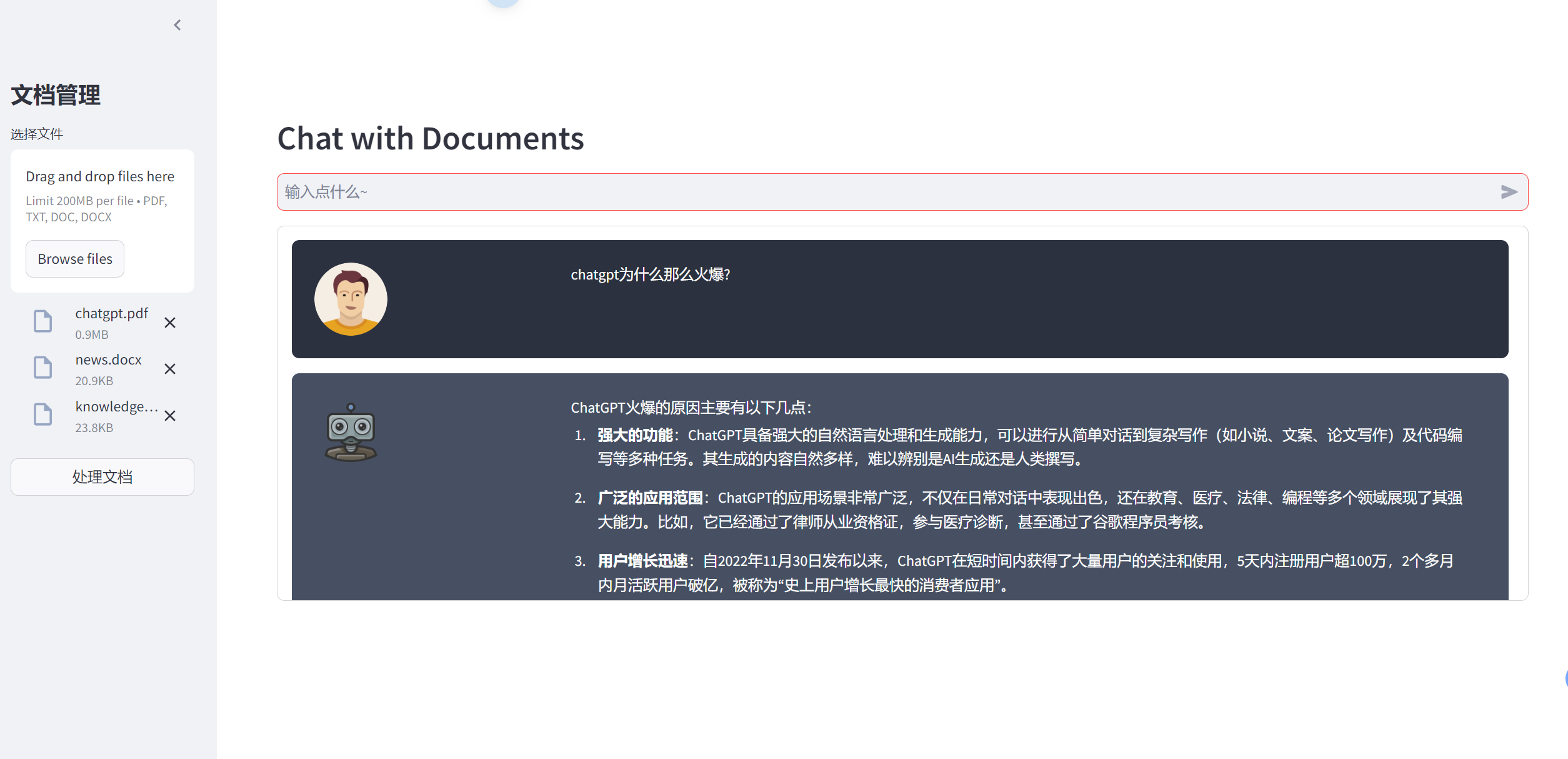
问题1:chatgpt为什么那么火爆?
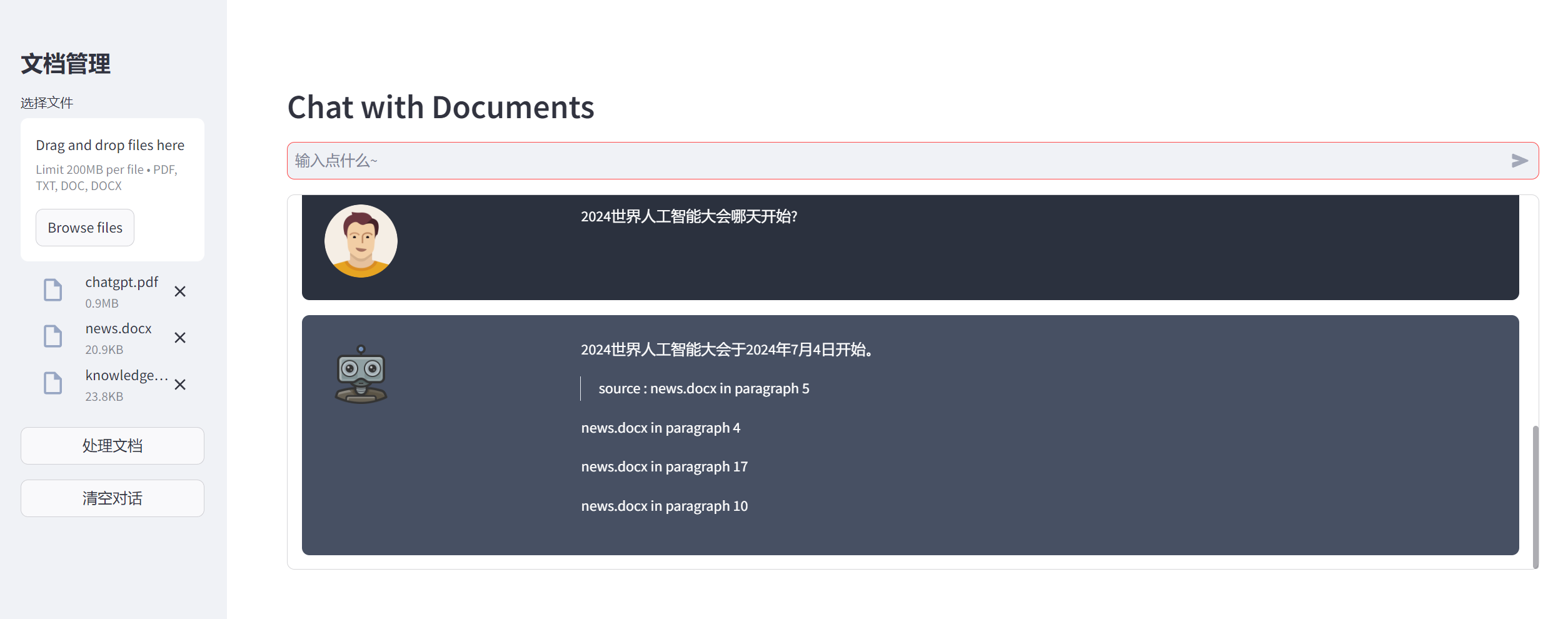
问题2:2024世界人工智能大会哪天开始?
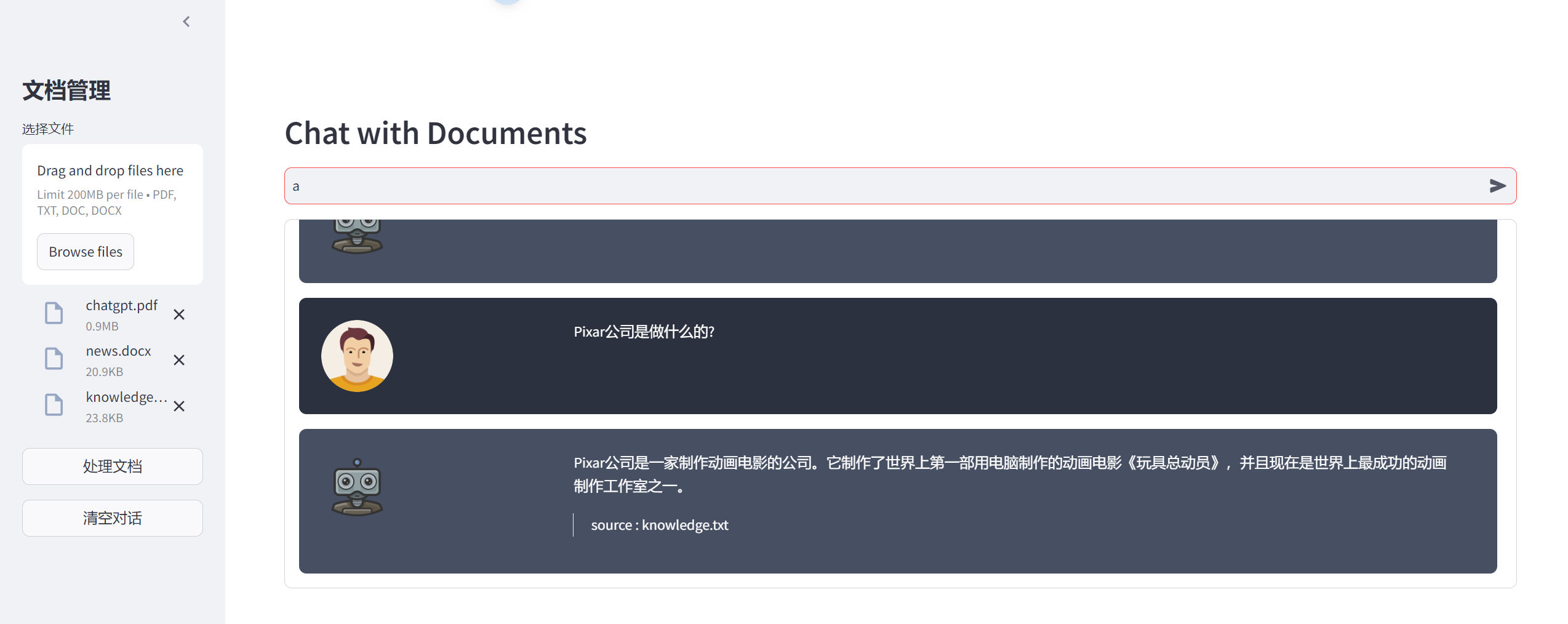
问题3:Pixar公司是做什么的?
问题4:黄河为什么被称为母亲河?