外观
87.GPT-4o多模态应用实战
来源:语雀原文 | 整理日期:2026-09-22
示例代码
注:将ppt后缀名改为zip后解压
python版本:3.12.4
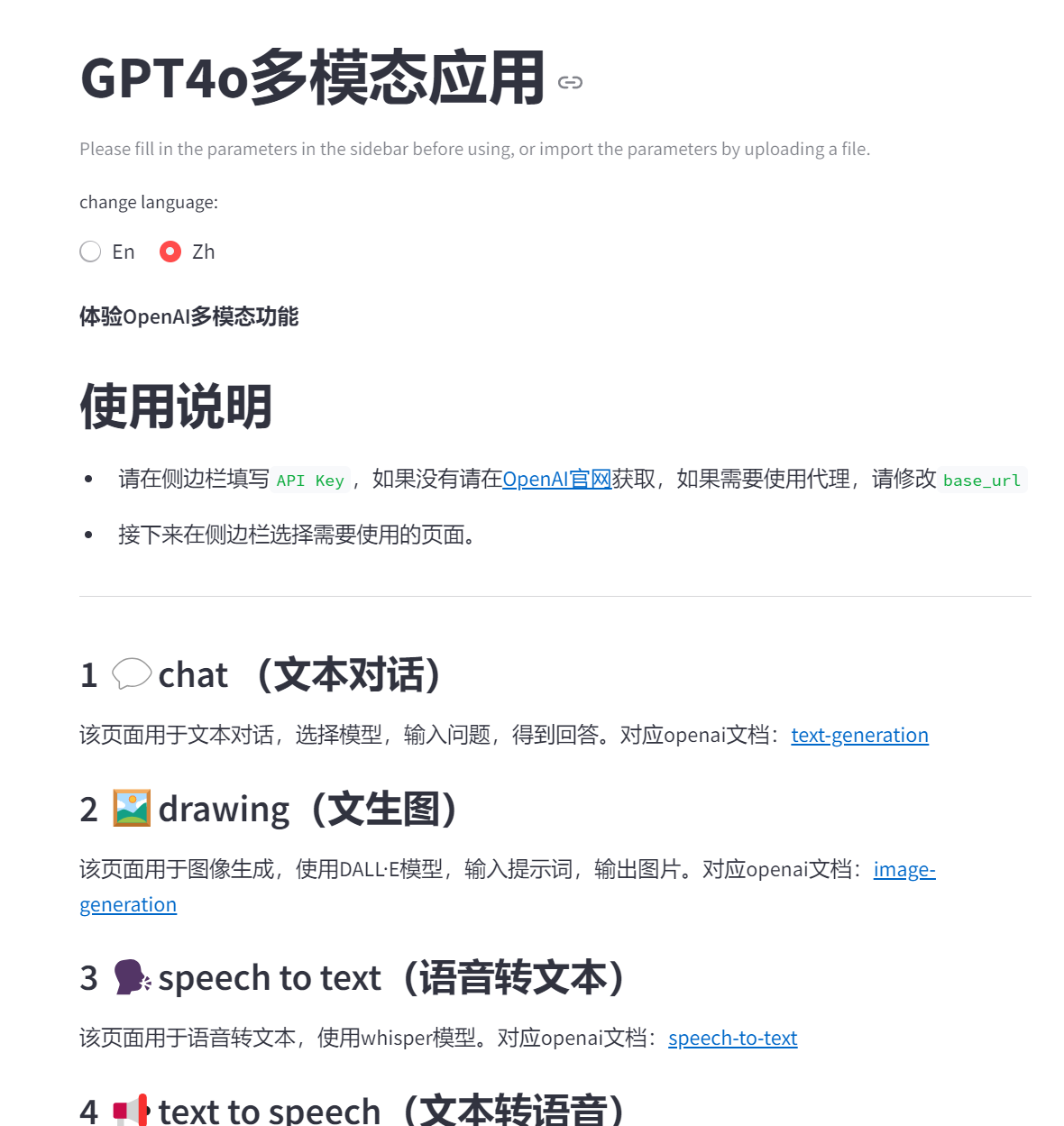
演示效果
Streamlit开发文档
官方文档:https://docs.streamlit.io/
中文文档:https://blog.csdn.net/weixin_44458771/article/details/135495928
Streamlit命令行启动
powershell
pip install streamlit
streamlit run app.py --server.port 8501
配置Pycharm调试Streamlit应用
开发环境
PyCharm Community Edition 2024
Win10/11
Streamlit 1.39.0
创建应用
app.py
python
import streamlit as st

st.header("hello")
st.write("this is a streamlit demo")
调试应用
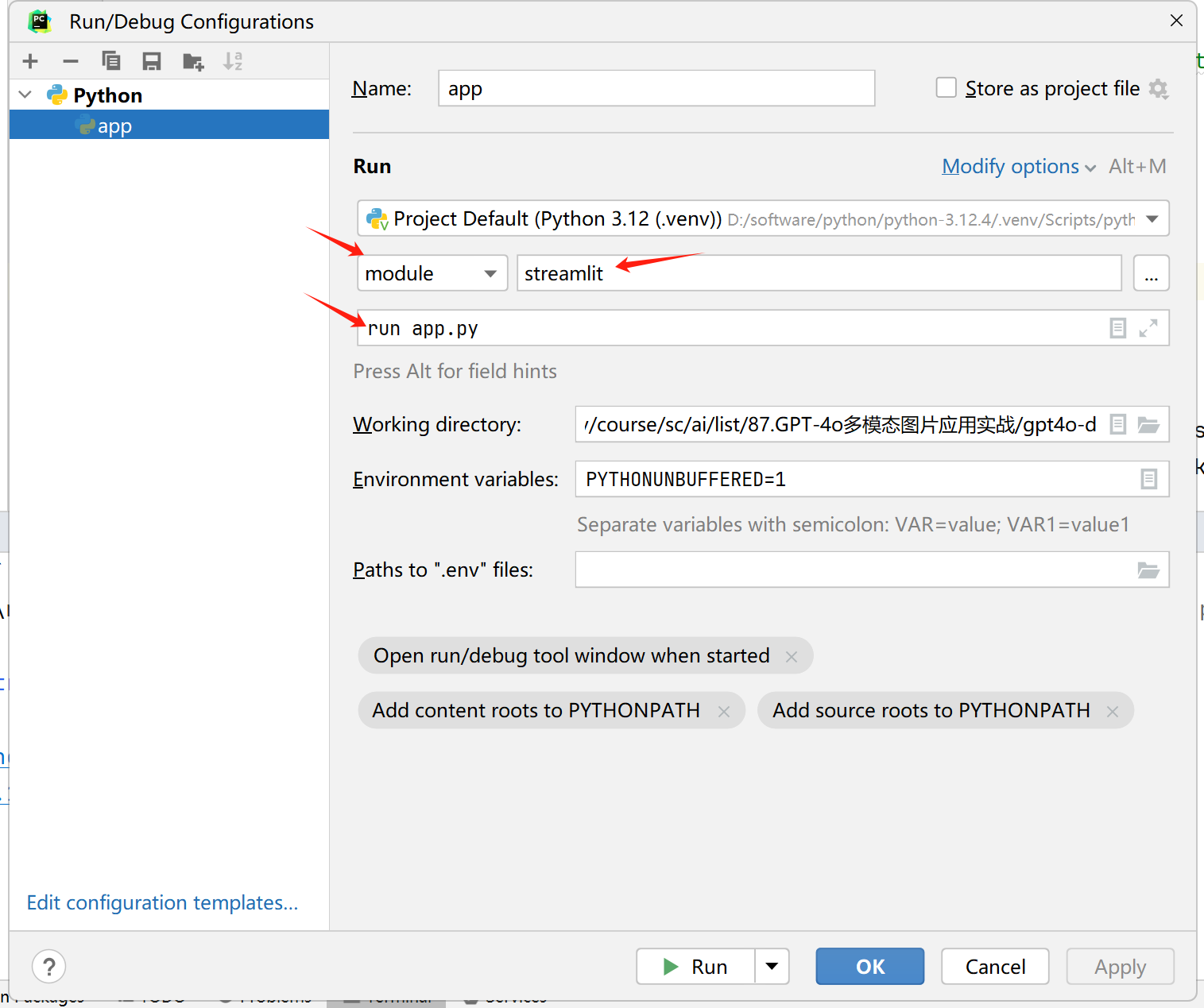
启动参数
module:streamlit
Script parameters:run app.py
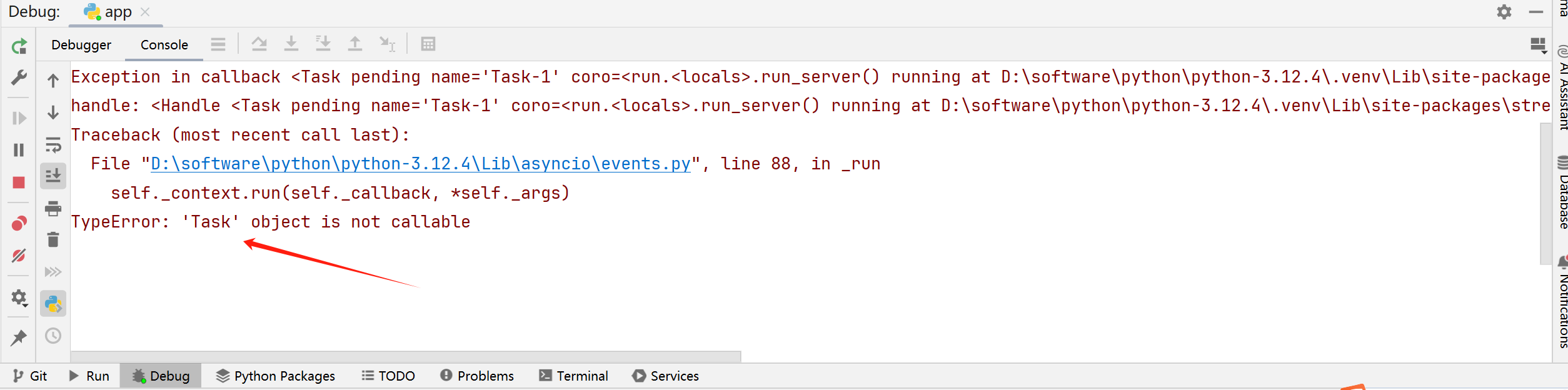
再次启动 debug 按钮,报错如下
解决如下:
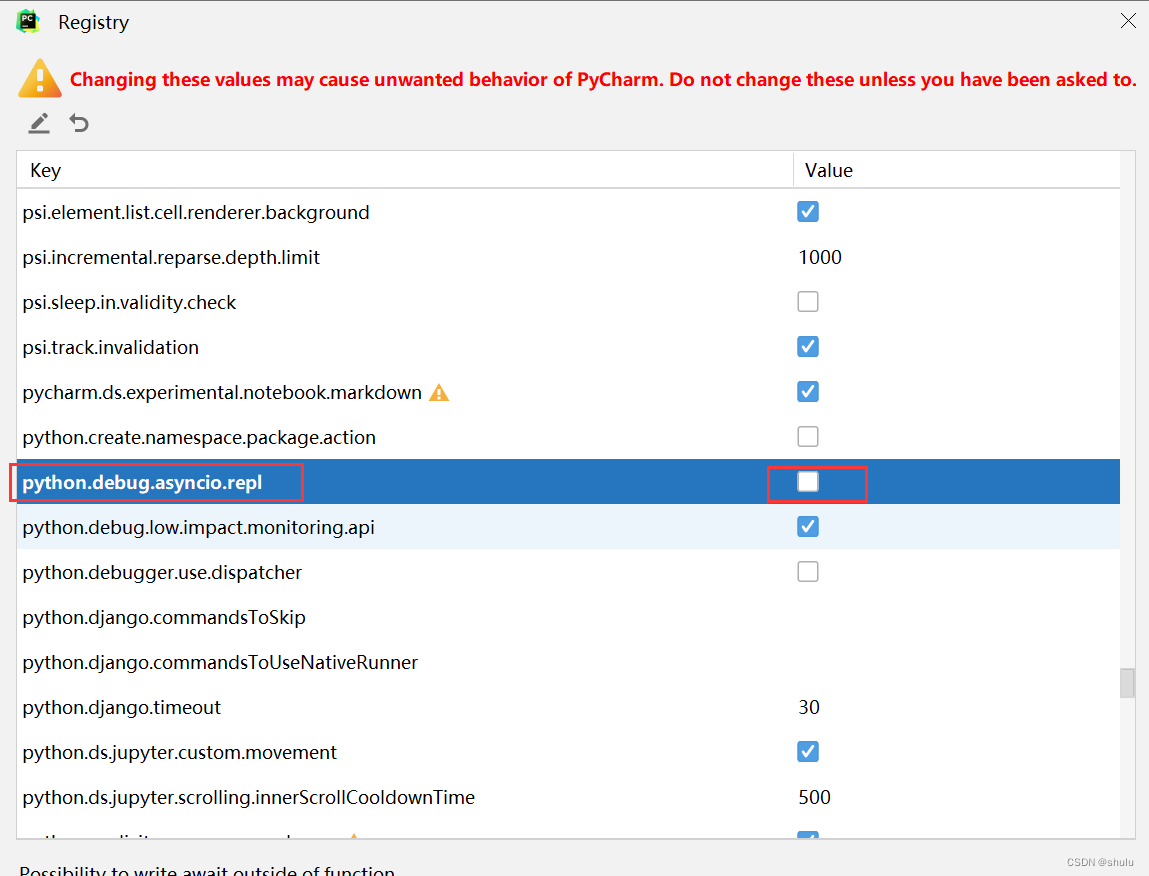
Help | Find Action | Registry | python.debug.asyncio.repl 去掉勾。